One focused module
Scope a single capability around one problem. Its own systems, sources and responsibilities are agreed, and nothing else is required.
Defined systems · one information source · one owner
Unified Platform
Every Morfus module has a job of its own. Connect the modules your operation needs and relevant information can support the next interaction, service or decision. Build around your existing systems and agreed permissions, rather than treating every moment as an isolated task.
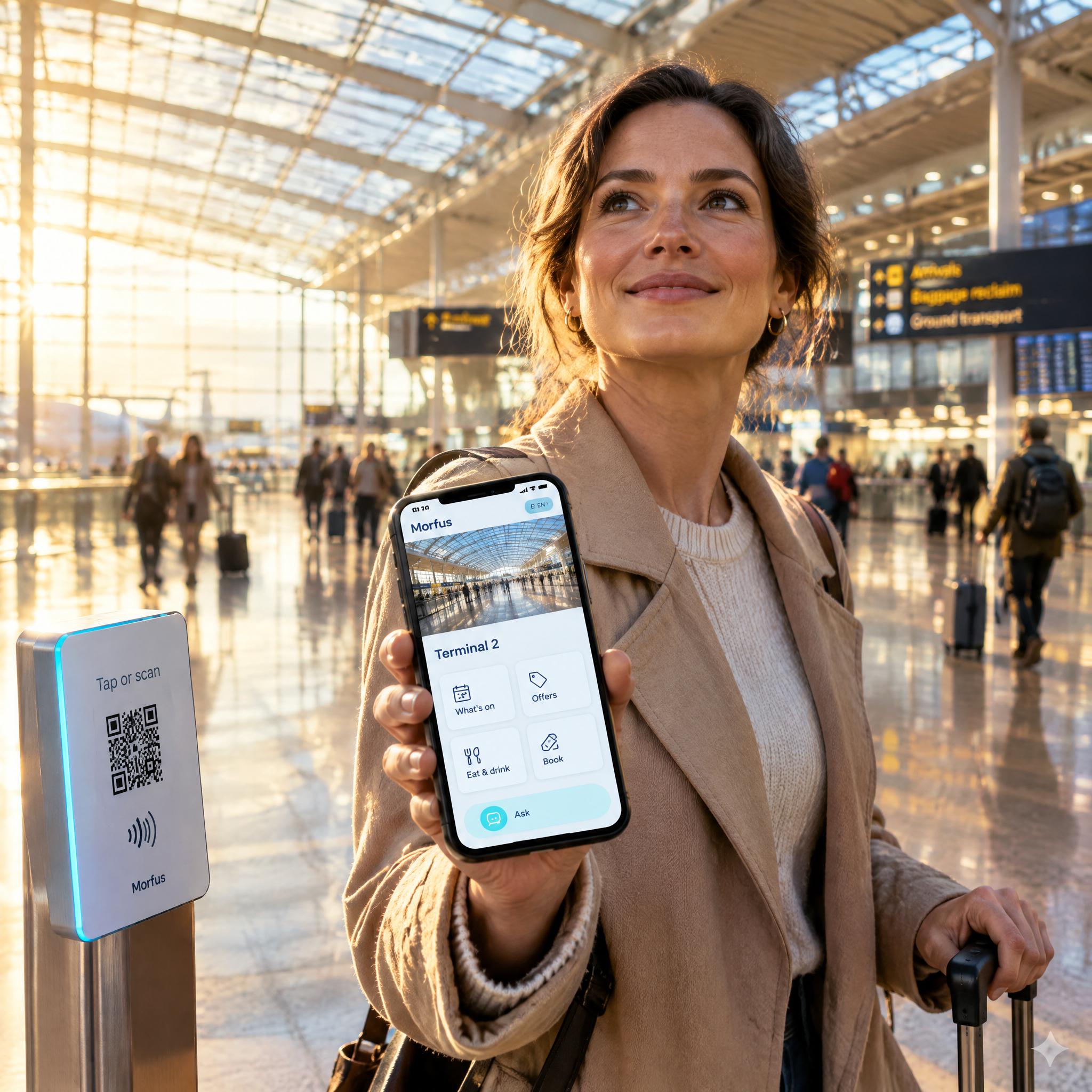
Working together
A question can turn into a request. A request can turn into a booking. A booking shows up in your reports. Each product hands what it knows to the next.

A visitor looks at what's on and asks about a workshop. The answer comes from your own information.

It goes to the team or provider who runs the workshop, with the details already filled in.

What happened appears in your reports. Until the provider confirms, it shows as “awaiting confirmation” — never as done.
Example only. Which connections you get depends on your deployment.
The relationship
Four explanatory groupings — not mandatory bundles. Every module below can be deployed on its own, and each carries its own delivery status.
Morfus Connect turns your guest Wi-Fi into a welcome screen with your name and branding. When visitors join, it sends them straight to your own pages, services or team. It works with the network you already have, in hotels, venues and other sites.
Morfus Experience is your own set of pages: what's on, where to eat, what to book and how things work. Visitors open it from a link, QR code or tag, with nothing to download. Use it for resorts, destinations and residential buildings.
MorfBot is an assistant that answers visitors' questions in their own language, using only the information you give it. It can take a request, such as a table, and passes anything it cannot finish to your team. Use it in hotels, destinations and residential buildings.
A QR code or tag on a product, sign or counter opens an offer. Verified records both the claim and the moment staff redeem it, so you can tell interest apart from actual use.
A signed digital pass that says what someone is entitled to, such as entry or a discount, and until when. Each wallet, key or door system needs its own connection before it can check one.
A way to capture what happened, in a set order, so a service or insurance team can review it later, for example at a car handover. Still being built.
Morfus Analytics shows what visitors asked about, looked at and actually did, in one place. Hotels, destinations and campaign teams use it to spot what their information is missing. Where it has no data, the view says so.
Morfus Ads lets local businesses pay to appear inside your visitor pages, next to the ordinary listings. Every paid offer is clearly marked as sponsored, leads to a real next step, and you can review what each campaign recorded.
Morfus Spaces runs the day-to-day of your properties — residents and units, bookings, internet packages, payments, tickets, staff tasks and inspections — across every level of your organisation. It also reads meters and sensors and lets approved staff control supported equipment.
Morfus Sensing is a system we are building to show whether a room or area is in use, without cameras and without identifying anyone. It could help managers see how shared rooms and lounges are used. It is in development and not available to buy.
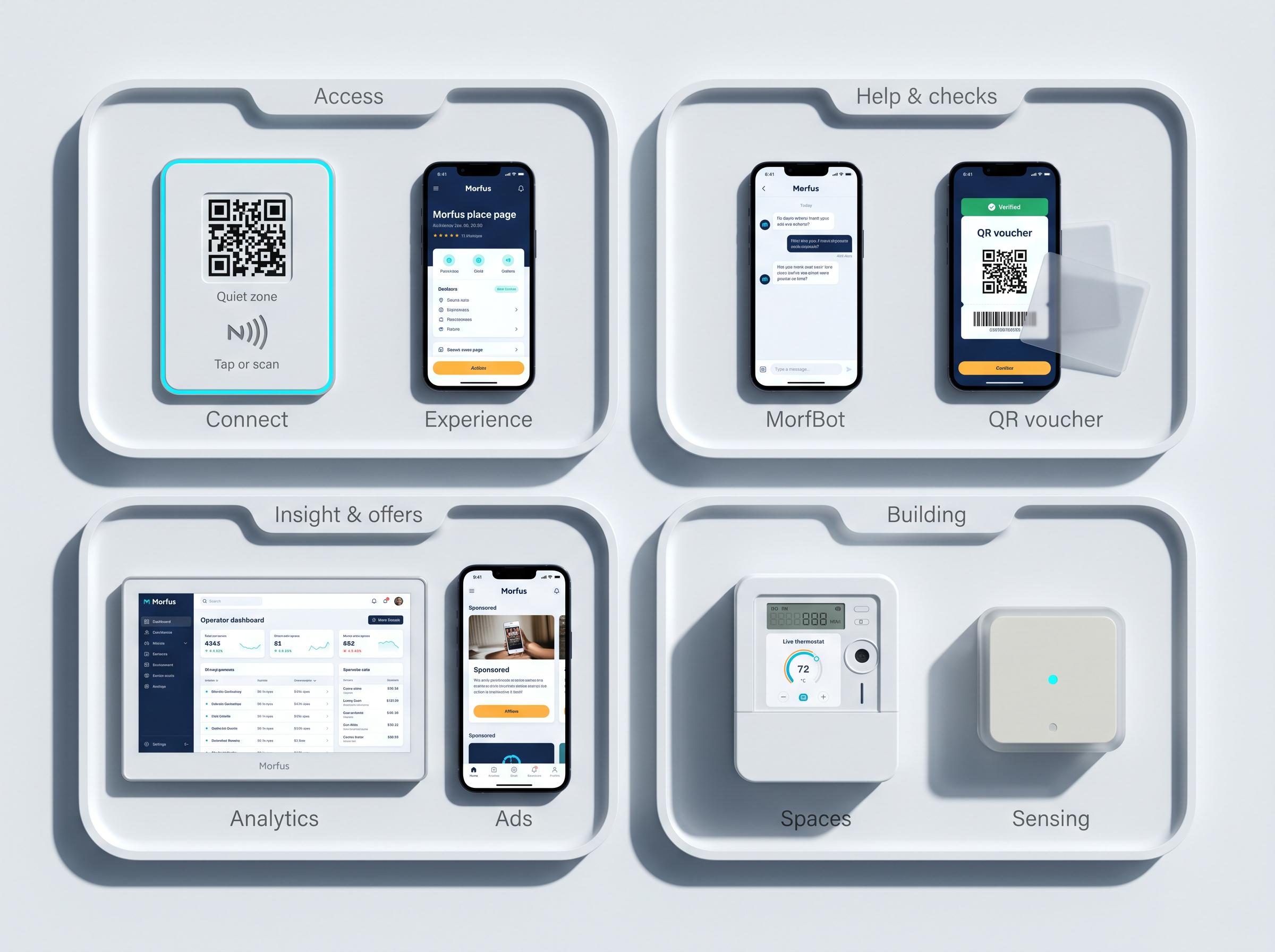
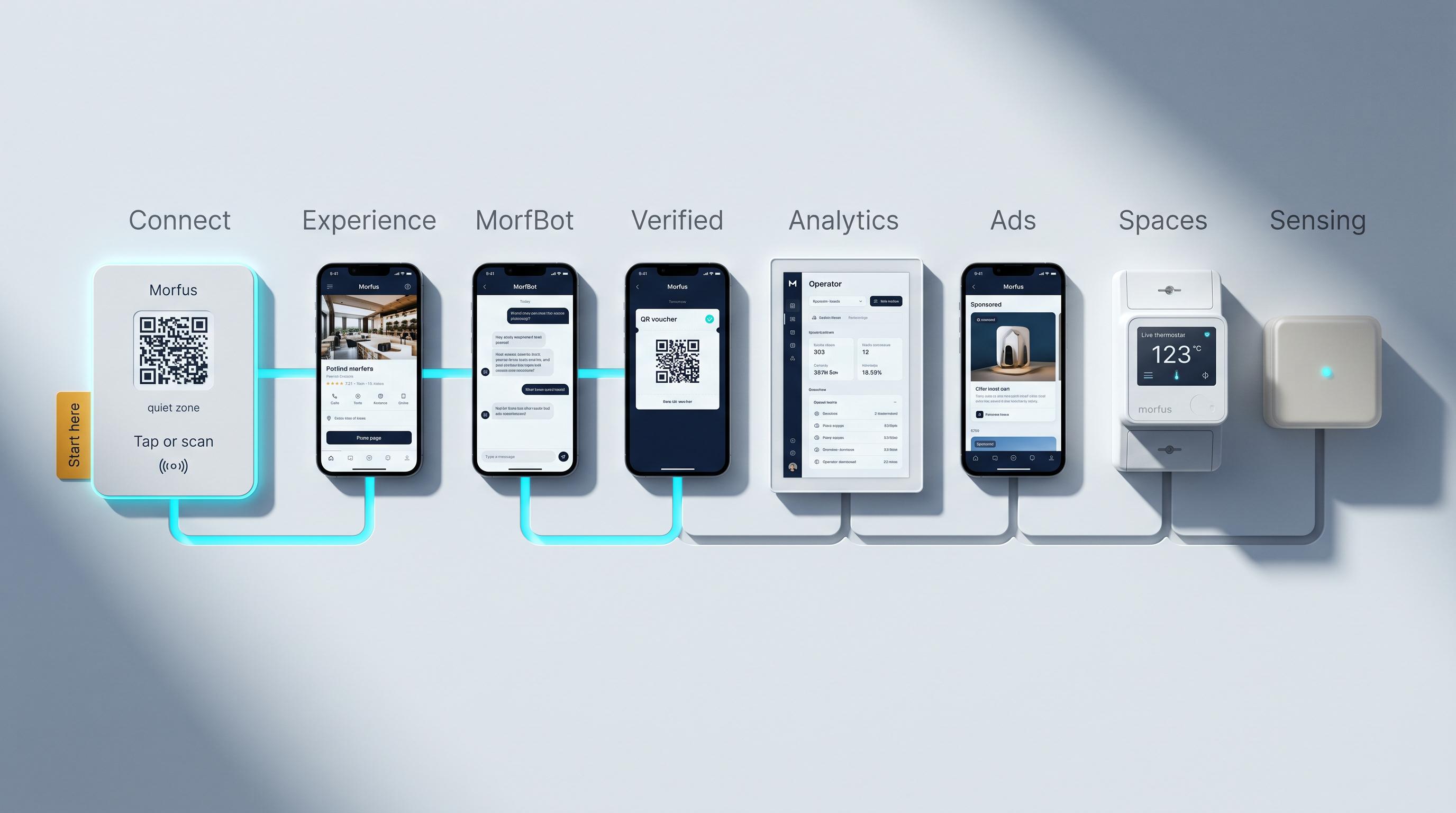
Connections are drawn only where a specific record or action passes between two modules. There is no indiscriminate web here — universal interoperability is not claimed.
The incremental advantage
Each row is a scoped connection between named modules, with what it adds stated plainly. These are workflow benefits, not quantified savings.
On their own
The scoped connection
What it adds
On their ownExperience presents services; MorfBot answers questions.
The scoped connectionSupported service context and action workflow.
What it addsA visitor moves from discovery to a relevant request with less repeated explanation.
On their ownConnect welcomes a network user; Experience provides ongoing services.
The scoped connectionWelcome destination and permitted entry context.
What it addsThe initial network interaction becomes an entry point to the broader service experience.
On their ownVerified records supported redemptions; Analytics reviews activity.
The scoped connectionDefined redemption events and reporting permissions.
What it addsTeams can relate recorded offer engagement to supported outcomes.
On their ownAds provides placements; Experience provides discovery.
The scoped connectionAgreed inventory, labelled offers and destinations.
What it addsCommercial offers appear within useful service exploration.
On their ownSpaces measures conditions; Sensing is intended to observe usage.
The scoped connectionValidated observations and approved operating rules.
What it addsProperty teams could consider both condition and usage before acting; Sensing integration remains developing.
Service operations
Bring a service problem, its location and the next responsible action into one supported workflow.
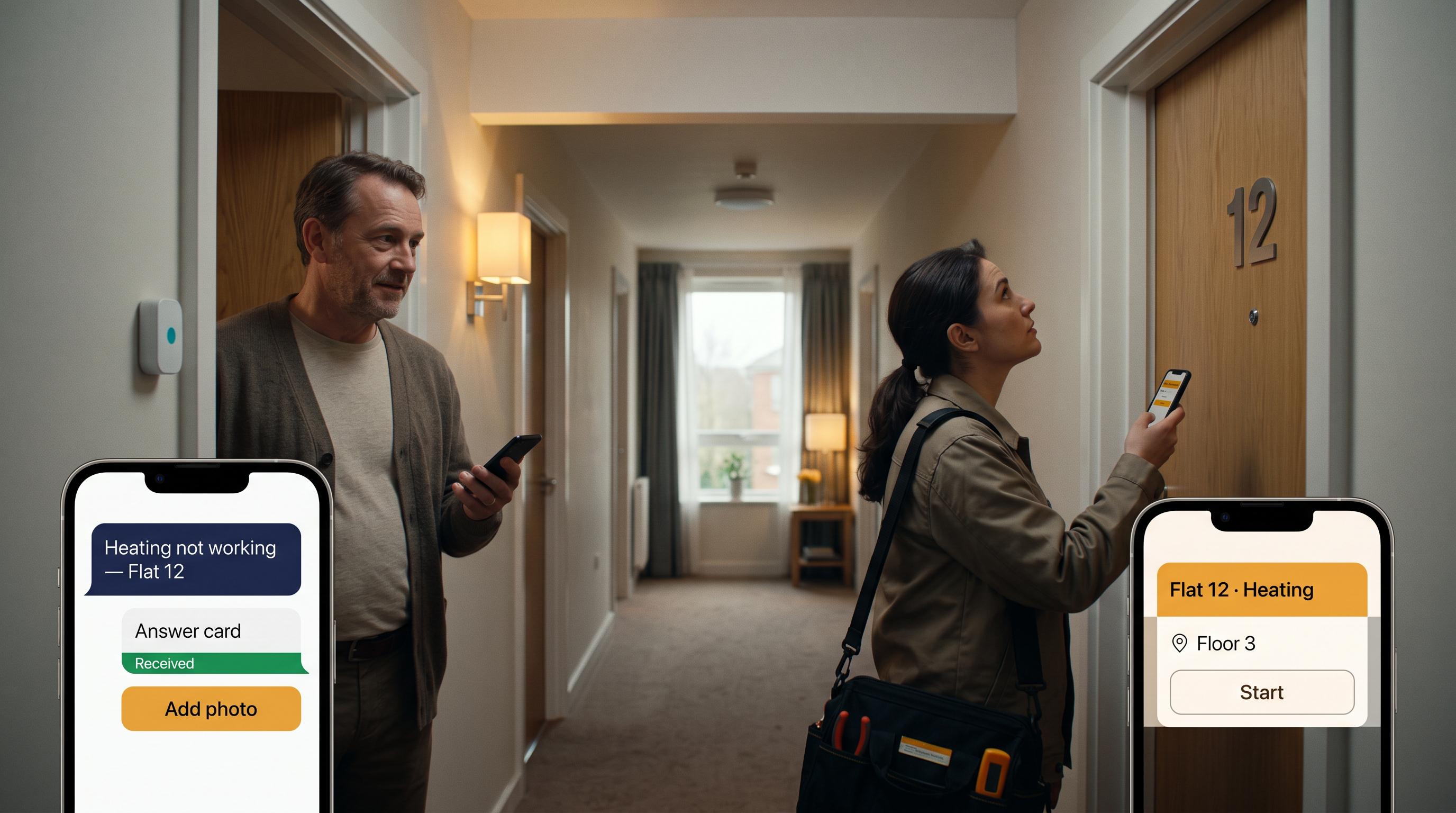
“The heating is not working.” Configured MorfBot assistance captures the issue and the location the resident supplies. It does not diagnose the fault.
A supported maintenance connection turns the request into a task. “Request received” and “Assigned” are separate states — one does not imply the other.
Supported records reach the agreed reporting view as Pending, In progress or Resolved. Completion comes from the service record, never from an inference.
The request can carry its context into the team's workflow, reducing repeated explanation and making status easier to follow.
Illustrative connected workflow — integration required.
Physical operations
Connect a supported reservation with the people and permitted controls that prepare the space.
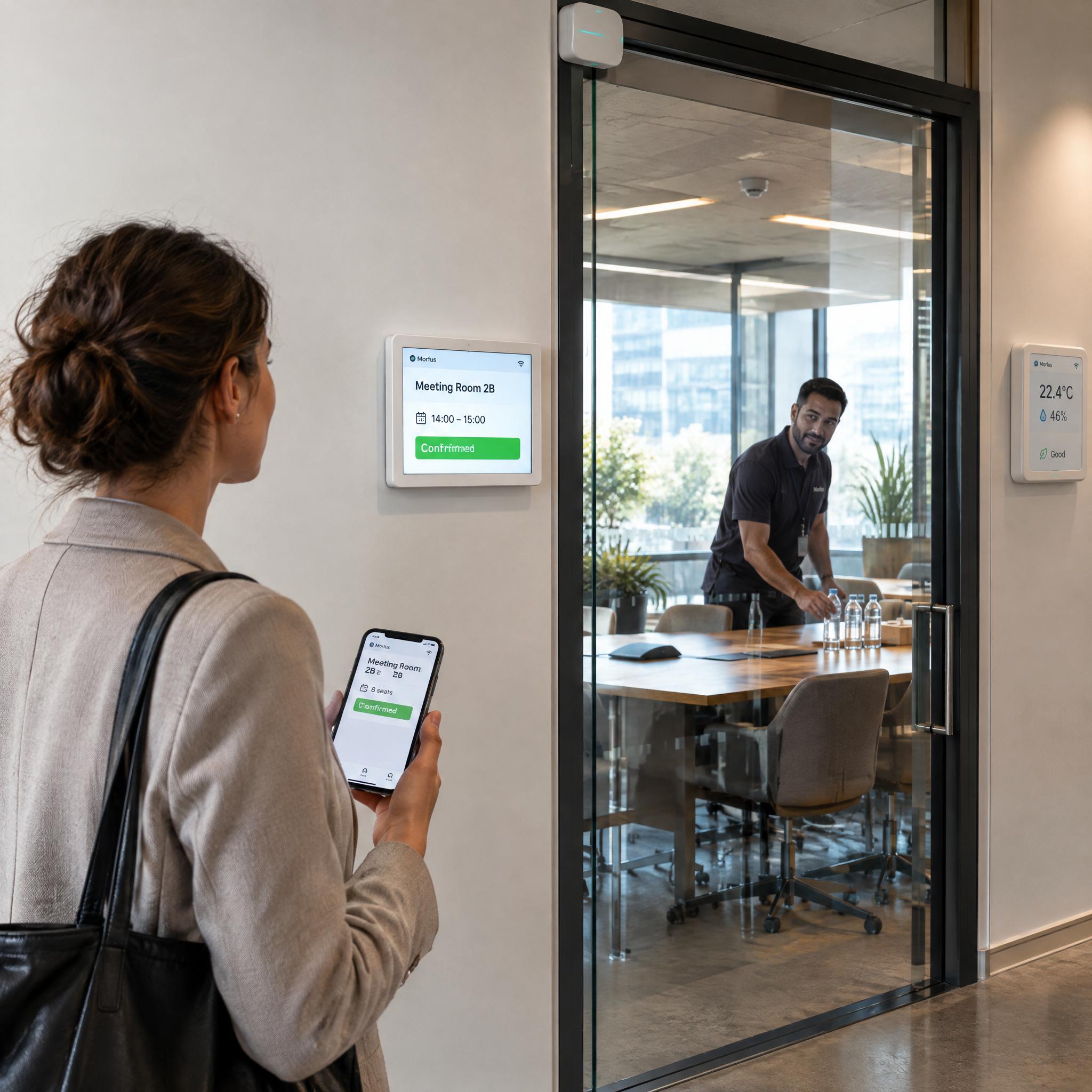
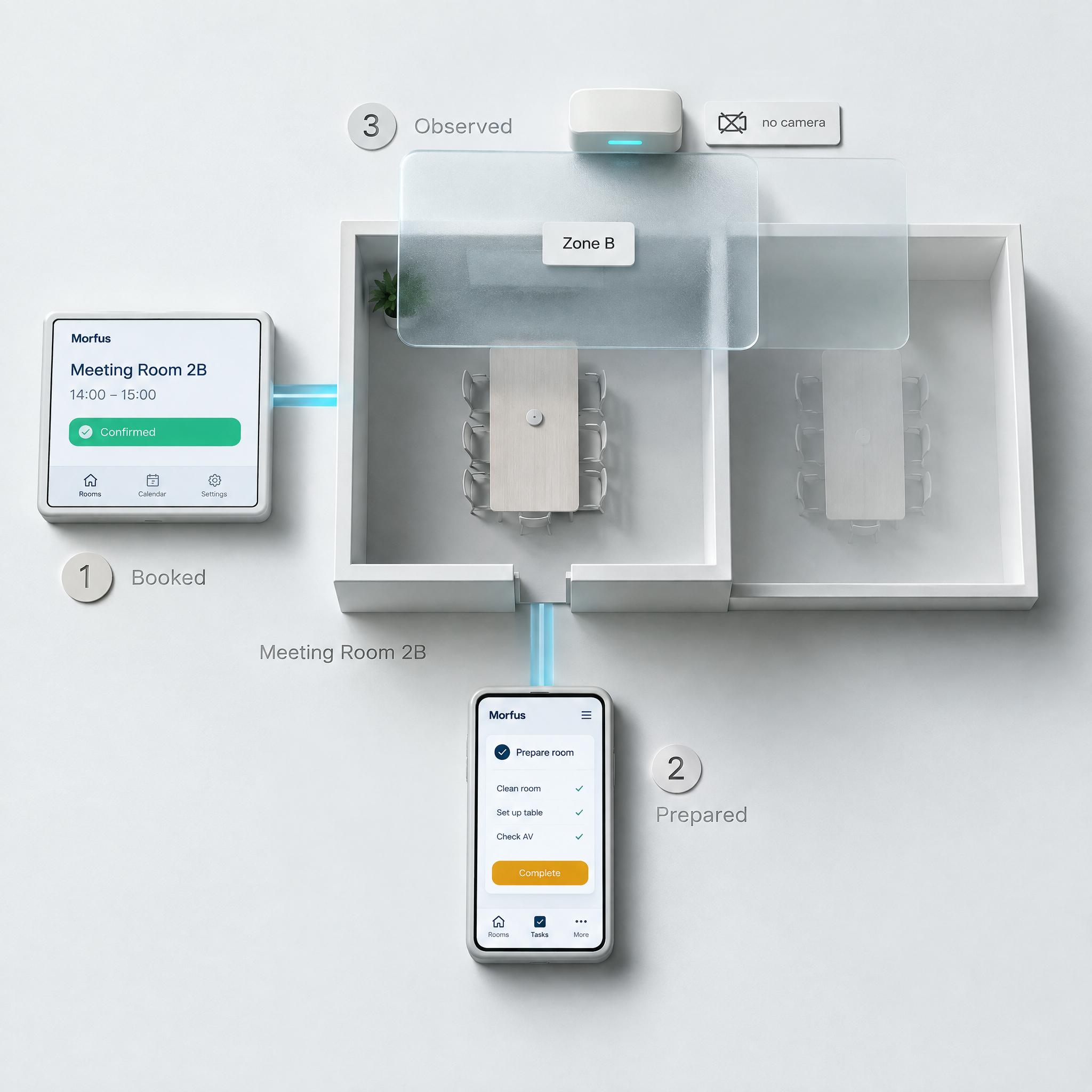
A configured Experience journey records the reservation. Where no booking connection is demonstrated, it stays a pending request rather than a confirmation. A Verified entitlement is an optional branch, not a prerequisite for every booking.
A separately scoped connection provides booking context to the team and to supported Spaces rules. Staff prepare the room; any control action requires the configured permissions.
A developing Sensing observation could describe whether the zone was subsequently used. Occupancy is not the booking holder's identity, is not proof of fulfilment, and is not permission to release a reservation.
The booking and the property's operating context can inform the same preparation process — a guest action, a staff action and a measurement, each contributing something different.
Illustrative connected workflow — integration required. No guaranteed energy saving, automatic cleaning or unattended access.
Commercial insight
Follow a relevant offer from discovery to the outcome your connected services record.
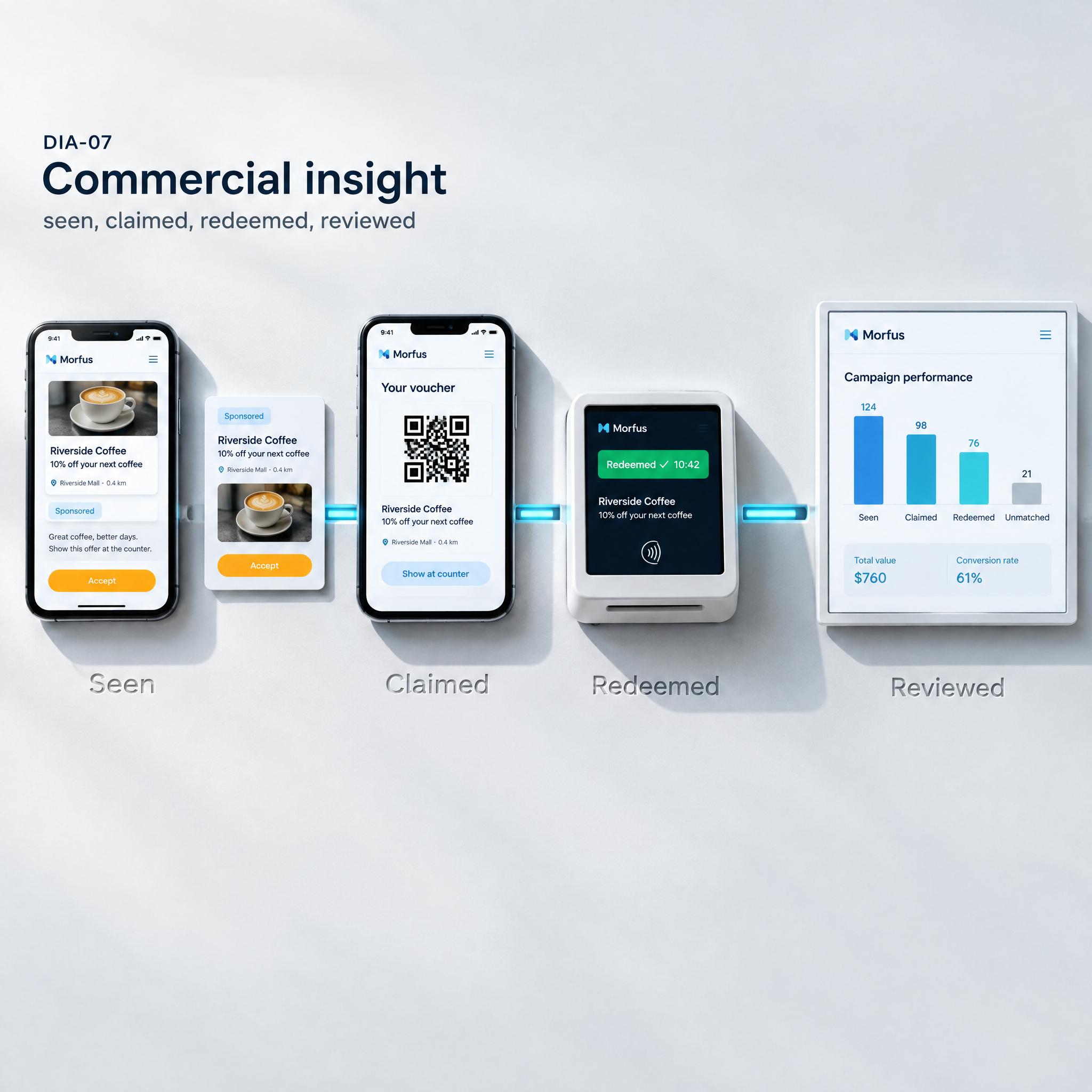

An Experience page shows a clearly marked Ads placement next to an ordinary listing, within approved inventory. The visitor selects the offer.
A supported Verified voucher is redeemed at a participating counter, or the connected service records another supported action. Selection, claim and redemption are three different states.
Analytics presents the available campaign and redemption records with their source and scope. A sign, session or campaign is linked only where the attribution method supports it — unmatched events stay unmatched.
Publishing, fulfilment and reporting come into one reviewable journey.
The individual capabilities are live; the end-to-end example is a scoped integration demonstration, not proof that every deployment already has end-to-end attribution.
The fuller vision
This section describes an intended capability, not a delivery commitment. It is included because integration matters for reasons a collection of dashboards cannot show.
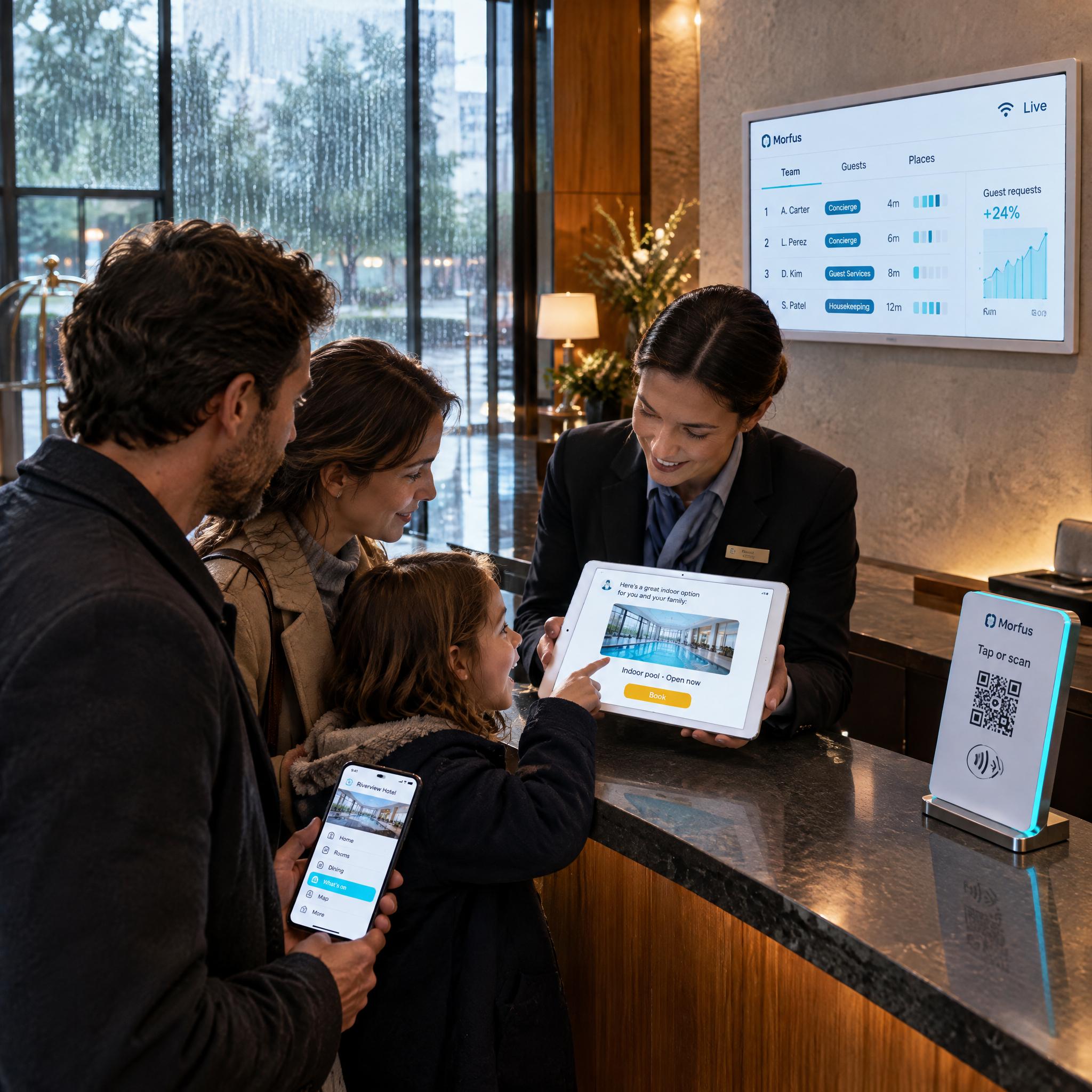
A family asks for an indoor alternative, and a concierge adds an unresolved transport question. An illustrative Action Card would show the evidence behind a suggestion, the window in which it matters and a proposed next step.
Prediction, not confirmed intent.
A manager selects a plan and a provider confirms capacity. A status panel keeps unresolved things visible — “Transport — awaiting acknowledgement” alongside “Preparation — assigned” — rather than hiding them behind a single tick.
Proposed coordination routes only separately authorised work.
Staff welcome the family, MorfBot communicates the supported choice, and configured services return their actual status. The available records then support an outcome review.
Developing device and sensing integrations keep their own labels.
The same situation looks different depending on who is asking. A connected deployment has to serve all of them, not only the visitor.
Boundaries
Integration defines which information can pass between services, who can use it and which actions are permitted. Relevant content, supported events, service status and approved observations can support a coordinated workflow.
This is a product architecture and an integration proposition. It is not a claim of an already deployed universal database, unrestricted shared identity, complete event bus or automatic connector catalogue. A prediction is not an instruction to execute.
A room, a service request and a property observation become easier to relate when their location references agree.
Observation zone
A sensing zone may span or overlap rooms rather than matching one exactly.
Welcome touchpoint
A QR code, tag or portal need not sit inside any sensing zone.
Related through an explicitly configured mapping
Conceptual integration model. Zones may overlap rooms, and touchpoints need not sit inside a sensing zone. No deployment is forced into this hierarchy, and permissions still control which records each participant sees. This is not a universal identity graph, and no shared personal identity is required.
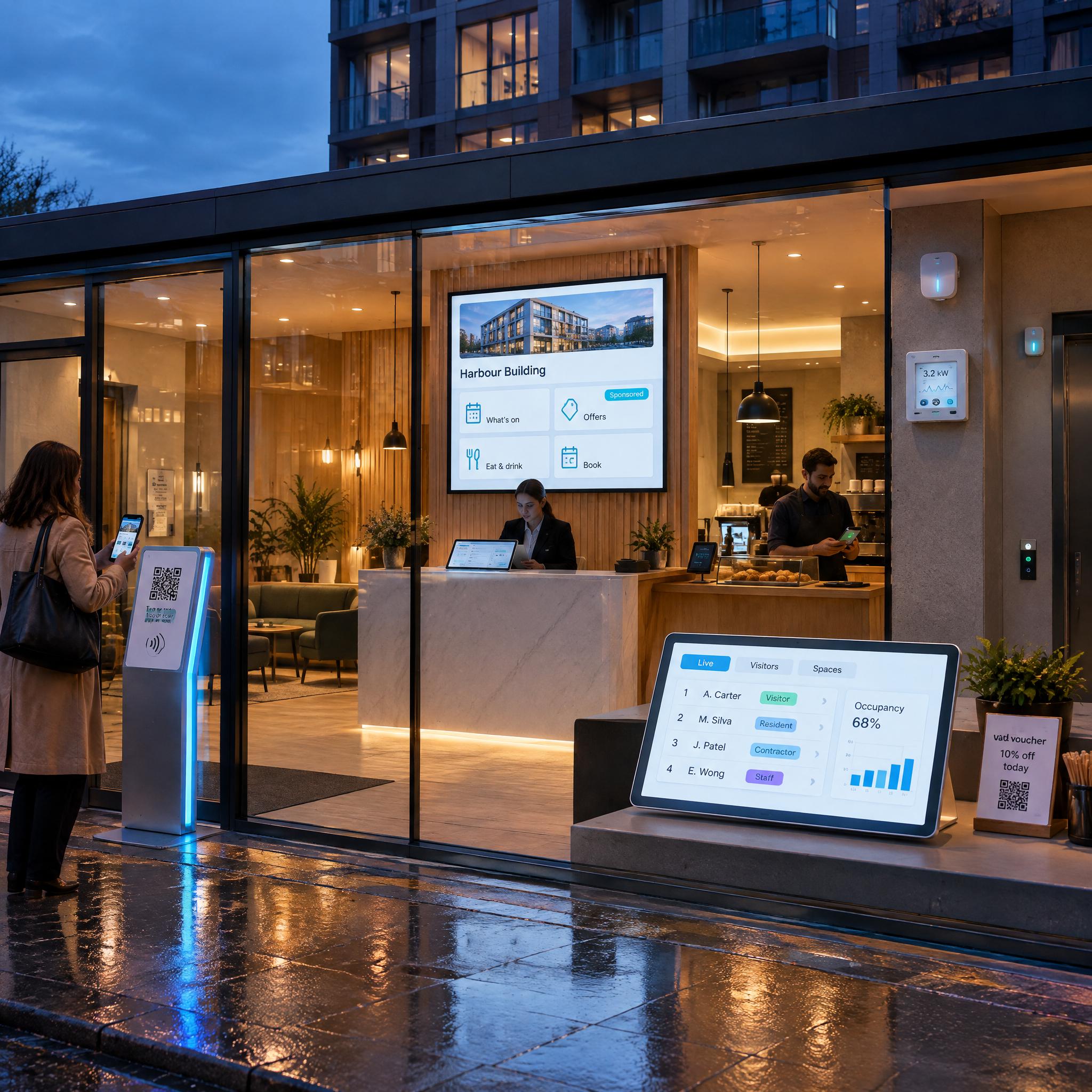
Deployment choices
Three shapes a deployment can take. Each has its own defined systems, information sources, responsibilities and delivery status.
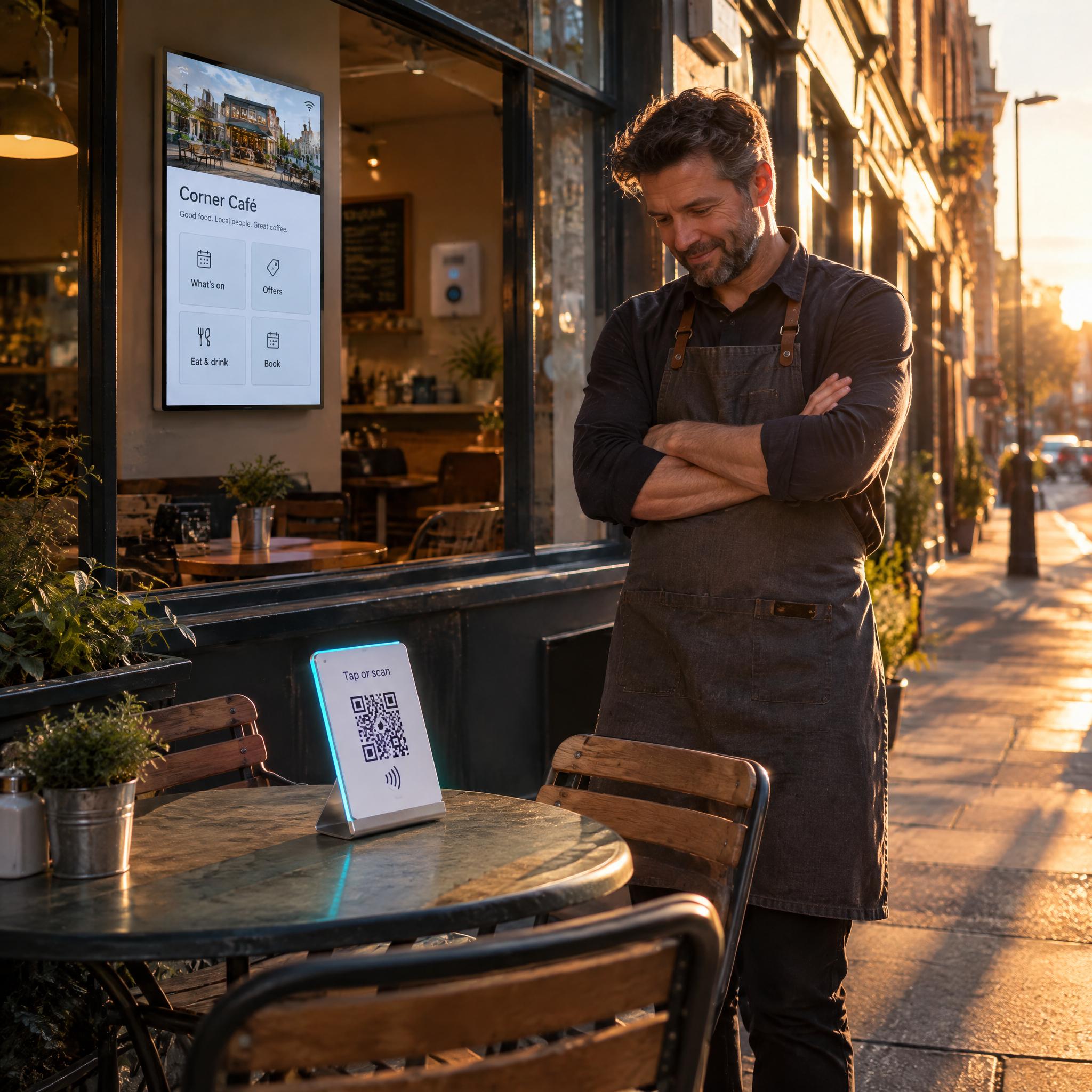
Scope a single capability around one problem. Its own systems, sources and responsibilities are agreed, and nothing else is required.
Defined systems · one information source · one owner
Connect the two or three modules a single workflow actually needs, with the integration scope confirmed between them.
Confirmed connections · shared permissions · defined states
Develop a wider deployment over time, with each stage carrying its own delivery status rather than being promised up front.
Staged delivery · status per stage · reviewed between stages
Questions
Tell us what you operate and which outcome you want to improve. We will scope the modules, connections and permissions your deployment would actually need.